Using the board
Board layout
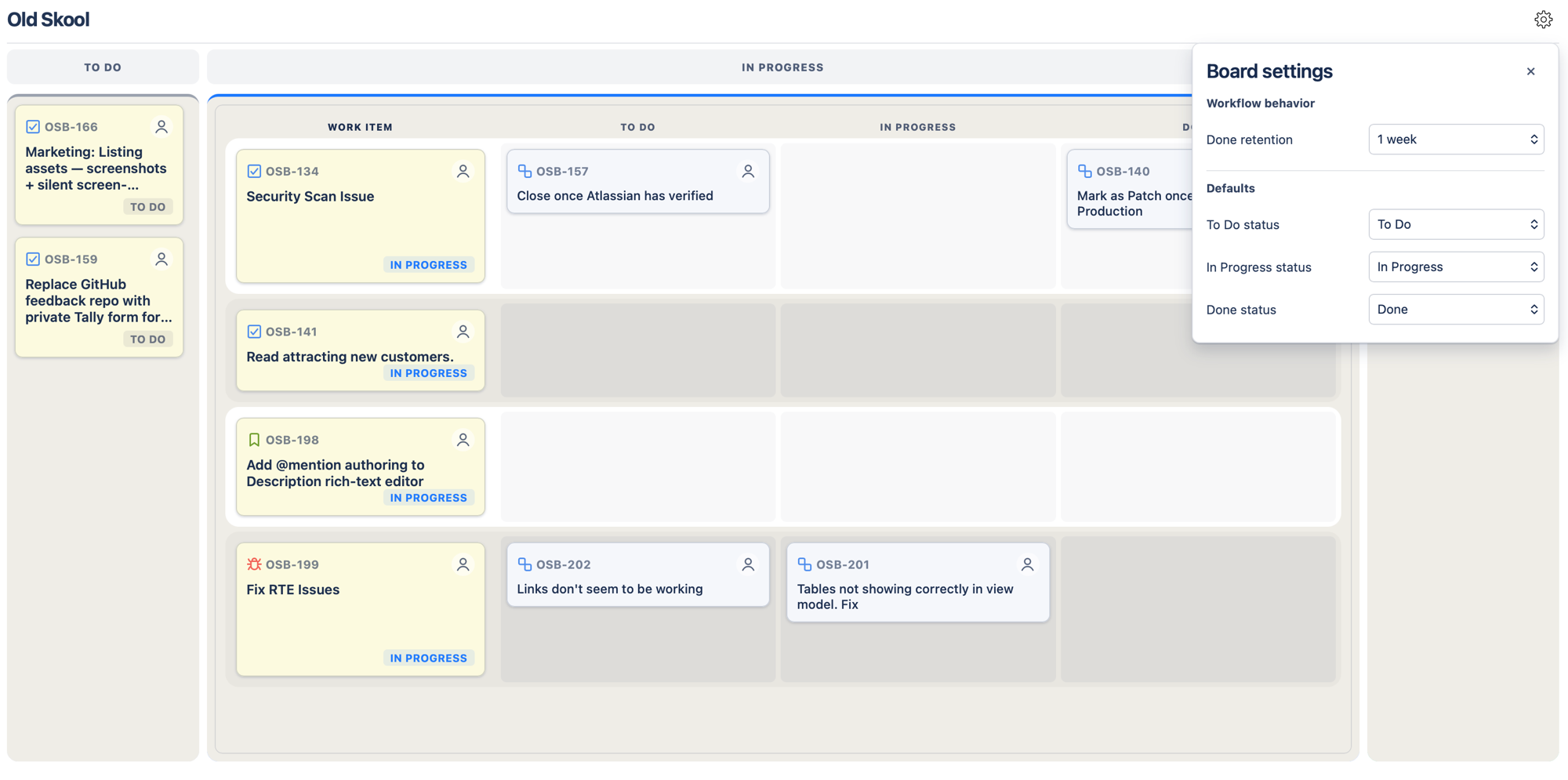
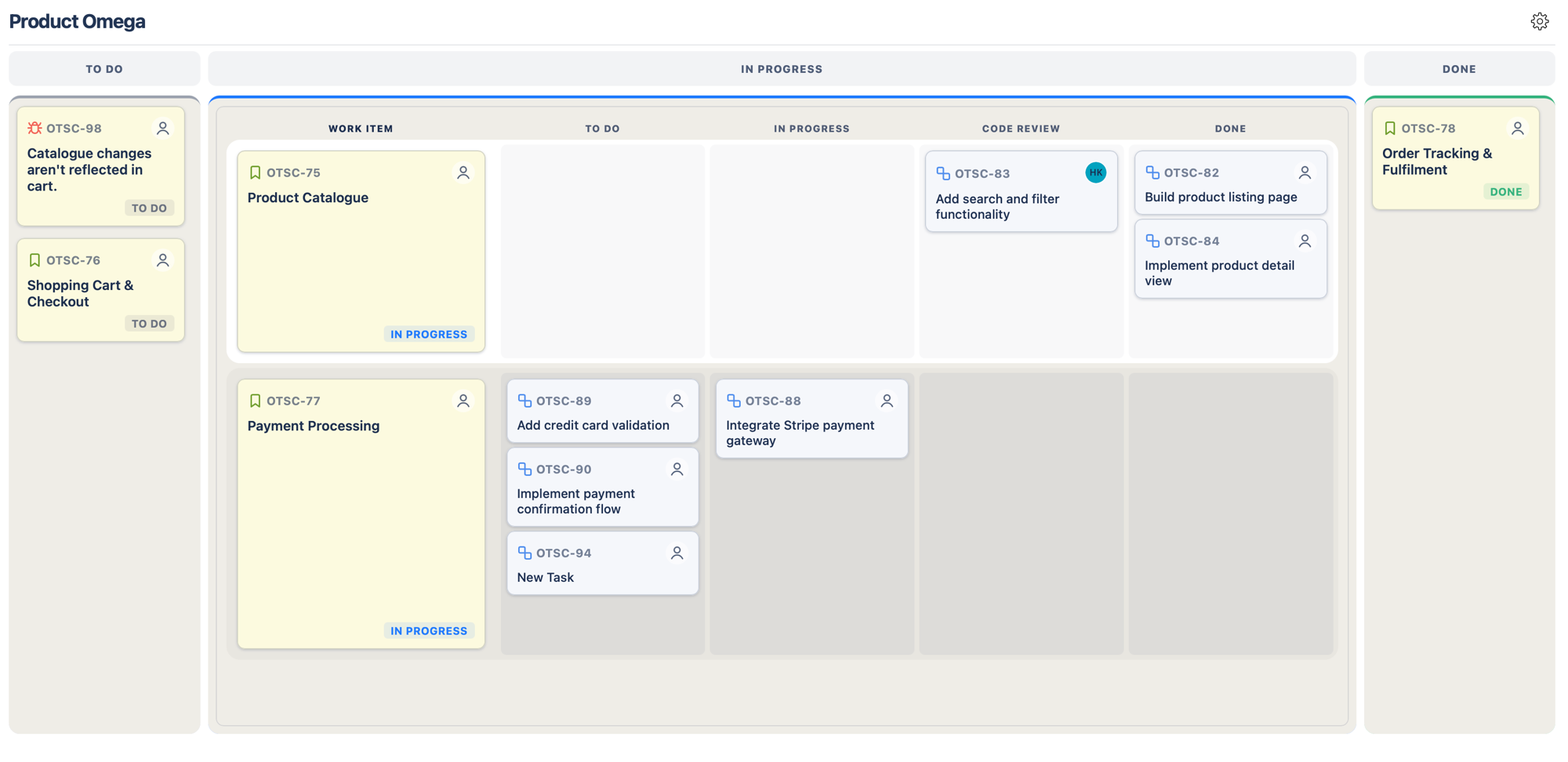
The board shows your Jira board's own columns, with the same names, in the same order. A column can hold more than one status, just as it does in Jira. Columns with "Backlog" in their name are left out.
Click a column header to expand it, and click the expanded column's header again to collapse it. At most one column is expanded at a time, and you can collapse them all.
In the expanded column, each parent item is pinned on the left with its sub-tasks arranged into lanes. The lanes are your board's own columns that hold sub-task statuses, in the same order, so each sub-task sits in the lane that holds its status. The other columns show their cards in a compact list. Long column and lane names are shortened; hover over one to see it in full.
Parent items appear as yellow cards. Sub-tasks appear as blue cards. A sub-task card shows its status when its lane holds more than one status.
If a work item's status isn't in any column on your board, it appears under Unmapped work items below the board. To bring it onto the board, add that status to a column in your Jira board settings.
Sub-tasks are different: a sub-task whose status isn't in any column isn't shown on the board, just as on Jira's own board. It's still listed under Subtasks in its parent item's details, where you can open it. To bring it onto the board, add its status to a column in your Jira board settings.
Moving parent items
Drag a parent item to another column to change its status. This triggers the same Jira workflow transition as moving it on your native Jira board. When a column holds more than one status, it splits into one box per status while you drag, so you choose exactly which status the work item gets.
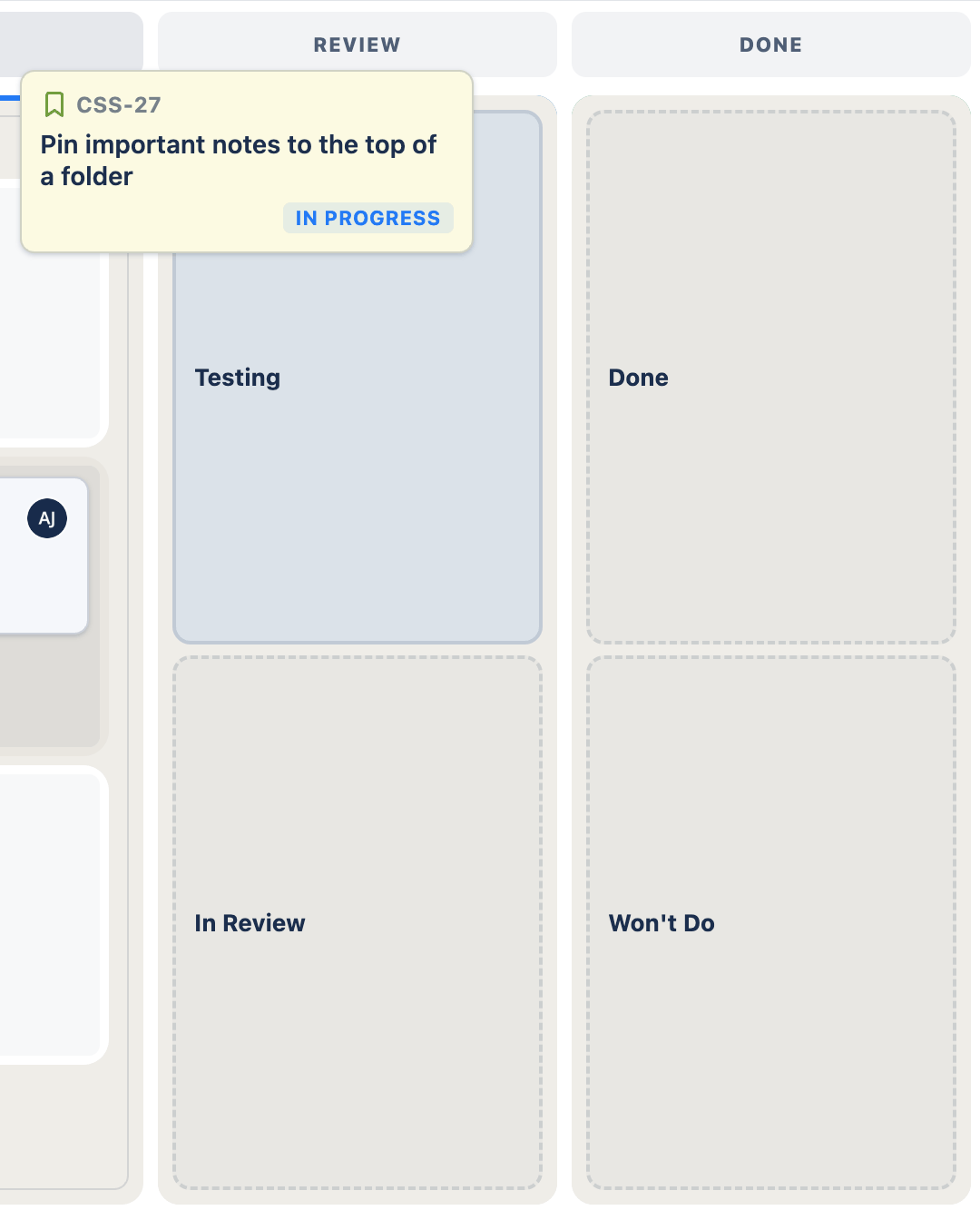
Pause on a status box and the column switches back to its cards with a blue insertion line, so you can pick the position as well as the status. A column with a single status shows its cards and insertion line straight away, and the column you're dragging from starts as cards so you can reorder within it. Or drop straight onto a box in another column to add the work item at the end of that column. Parent item order is saved to Jira's own rank, so Old Skool Board and your Jira board show the same order when they load.
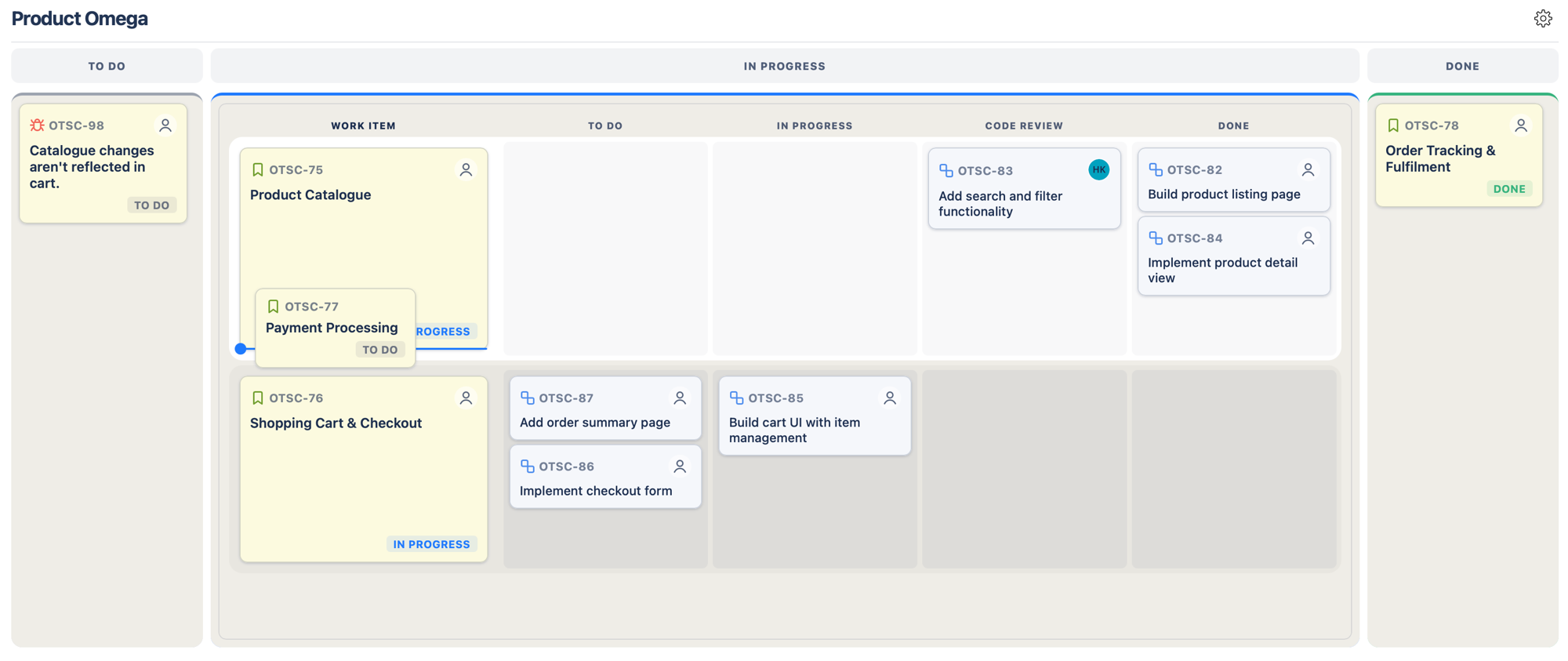
When a move changes status, you have a moment to press Cancel (or Escape) before it's sent to Jira. The board handles one parent item move at a time; if a move is still finishing, wait a moment and try again. If a transition isn't allowed by your workflow, you'll see a message and the card stays where it was.
Reordering parent items needs a board filter ordered by Rank and Jira's Schedule work items and Edit work items permissions. Without them, multi-status columns stay as boxes, no insertion line appears, and if you try to reorder the board tells you why. A missing permission is only discovered the first time you try; card order is read-only after that. You can still change status: the work item is placed at the end of the column for now, and follows your board's own order after a reload. See Known limitations.
Moving sub-tasks
Drag a sub-task to another lane in its parent item's row to change its status. A sub-task stays with its parent item: other rows and the other columns don't take the drop.
The lane the sub-task starts in shows its cards with a blue insertion line, so you can reorder within it. A lane with a single status also takes the drop directly.
Any other lane that holds more than one status splits into one box per status while you drag. Pause on a box and that lane switches back to its cards, so you can pick the position as well as the status. Or drop straight onto a box: the sub-task goes to the end of that lane, or keeps its place if the box is in its own lane.
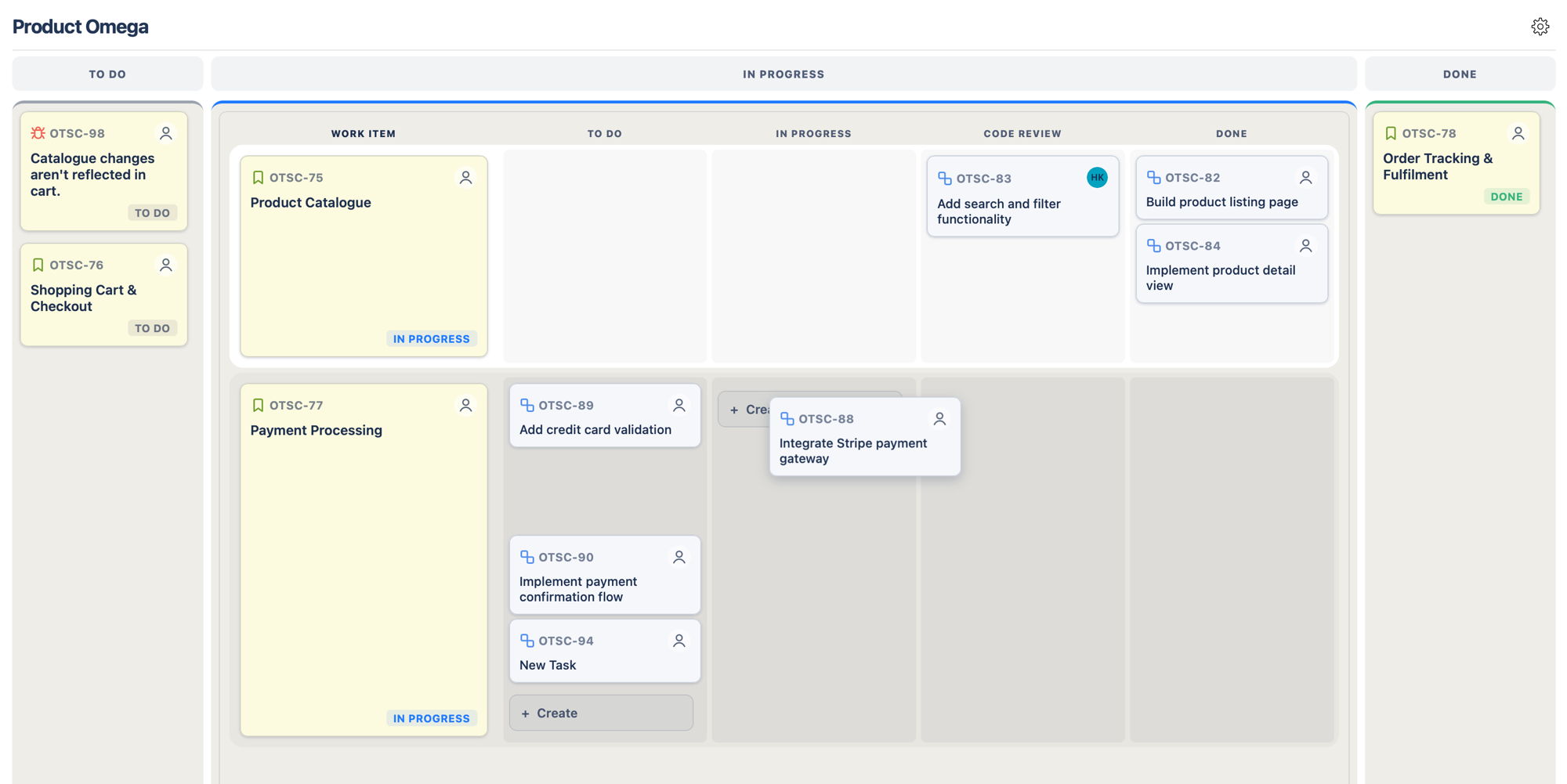
Sub-task order is saved to Jira's own rank, so Old Skool Board and your Jira board show the same sub-task order when they load. Reordering sub-tasks needs the same Jira permissions, but not a board filter ordered by Rank. If Jira refuses, sub-task order is read-only until the board reloads; you can still change a sub-task's status. See Known limitations.
The board handles one sub-task move per parent item at a time. While a move is finishing, the sub-tasks in that row can't be dragged; other rows and parent items aren't affected.
Creating items inline
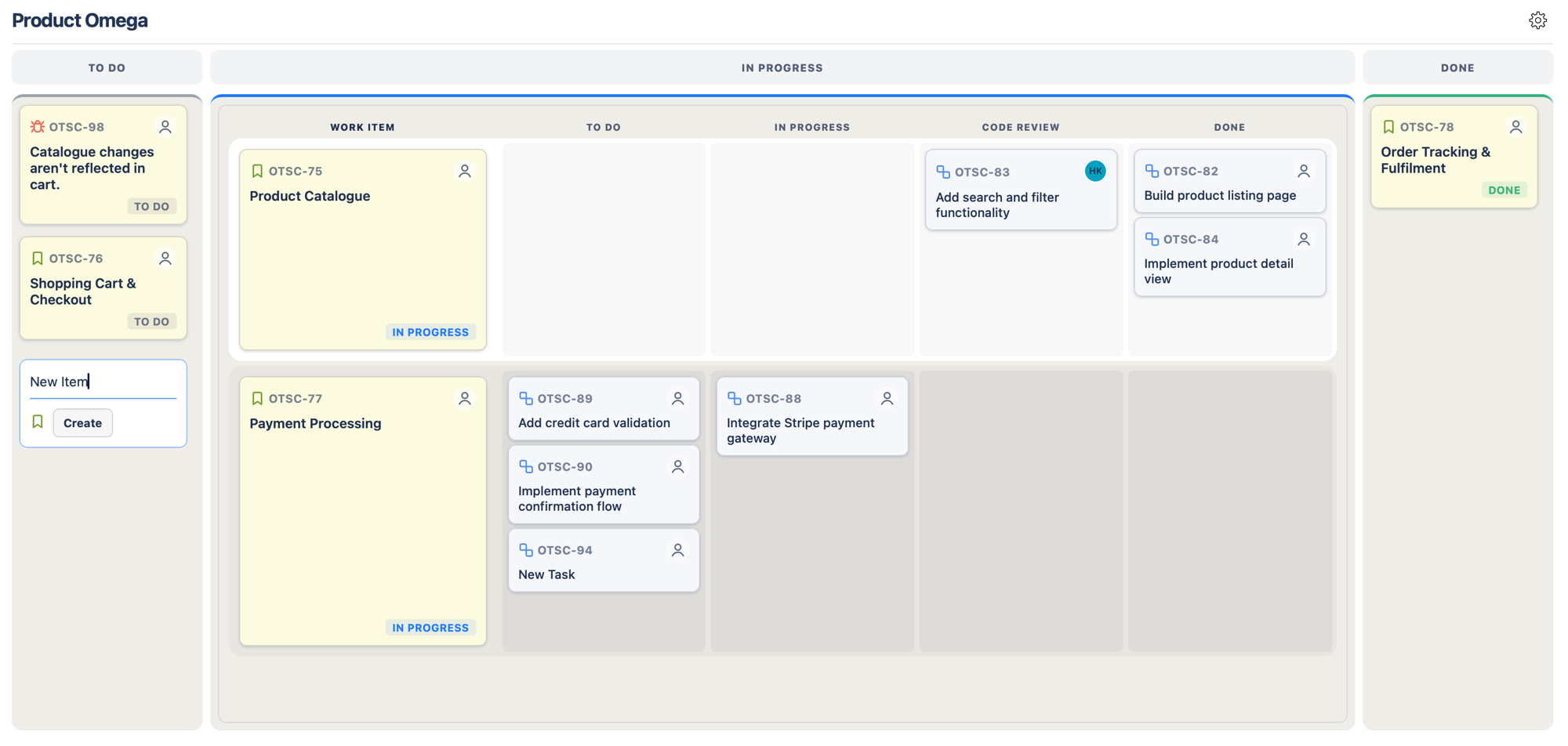
Hover near the bottom of a column and click + Create to create a parent item, or hover a sub-task lane beside a parent item and click + Create there to create a sub-task. Type a title and press Enter to save, or Escape to cancel.
If the column or sub-task lane holds more than one status, pick one from Choose a status before creating. Columns showing No statuses mapped have no create option. On Scrum boards, new work items go to your Jira backlog, not the active sprint, so they won't stay on the board until they're added to the sprint.
Opening work item details
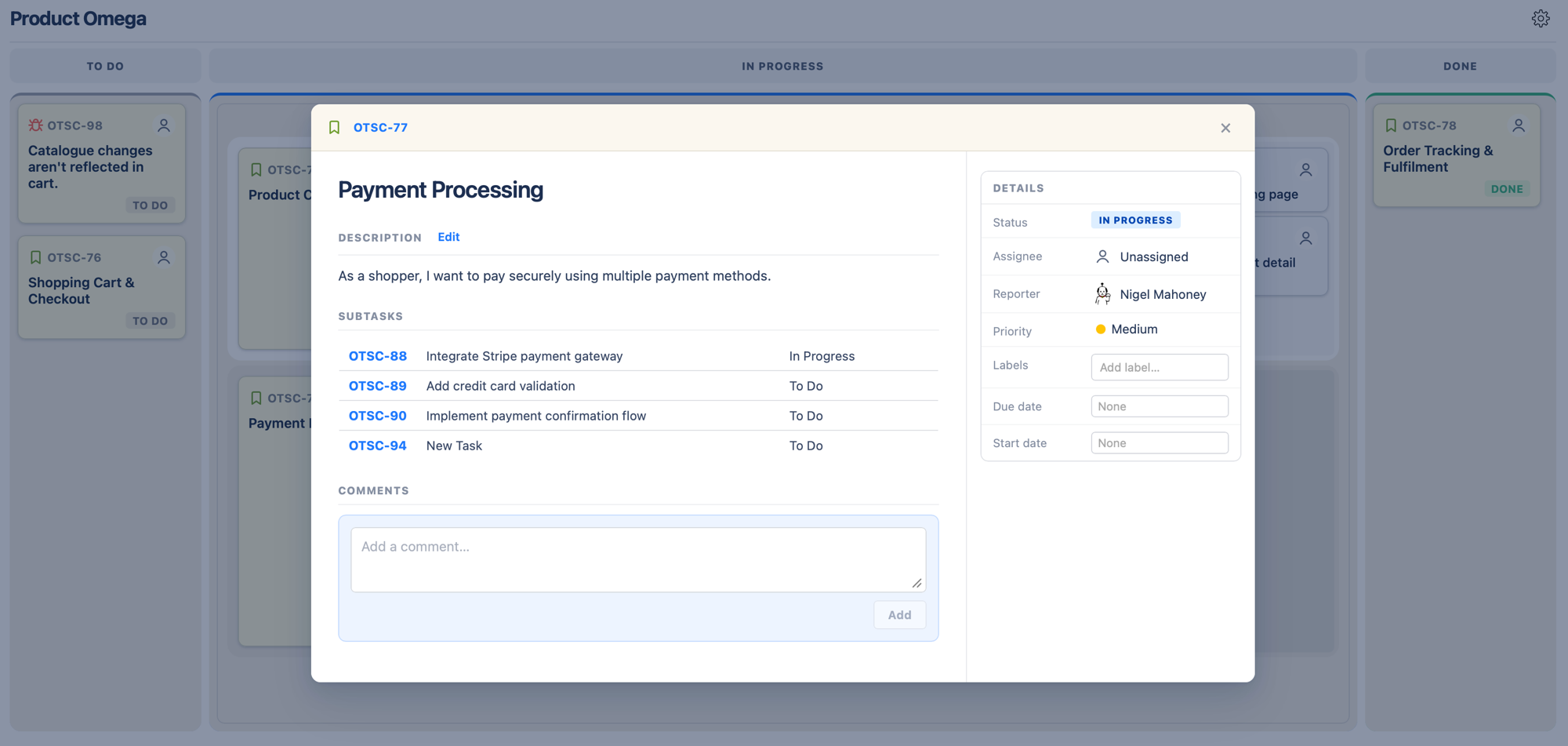
Click any card title to open the work item's details without leaving the board. You'll see the description, sub-tasks, comments, and key details: status, assignee, reporter, priority, labels, and dates.
To open the work item in Jira instead, click its key (e.g. CSS-10) at the top left, or Cmd/Ctrl-click the card on the board.
Hiding completed items
On company-managed Kanban boards, you can hide completed items that haven't been updated for a set period. Click the settings cog in the top-right corner of the board and choose a Done retention period: 1 week, 2 weeks, 4 weeks, or Keep all.
This setting is saved per board, for your account. It isn't available on Scrum boards or team-managed boards.